
- Published on
TTT — The Tortoise Trainer
- Authors

- Name
- Ali Sait Teke
- @alisaitteke
Why I built TTT
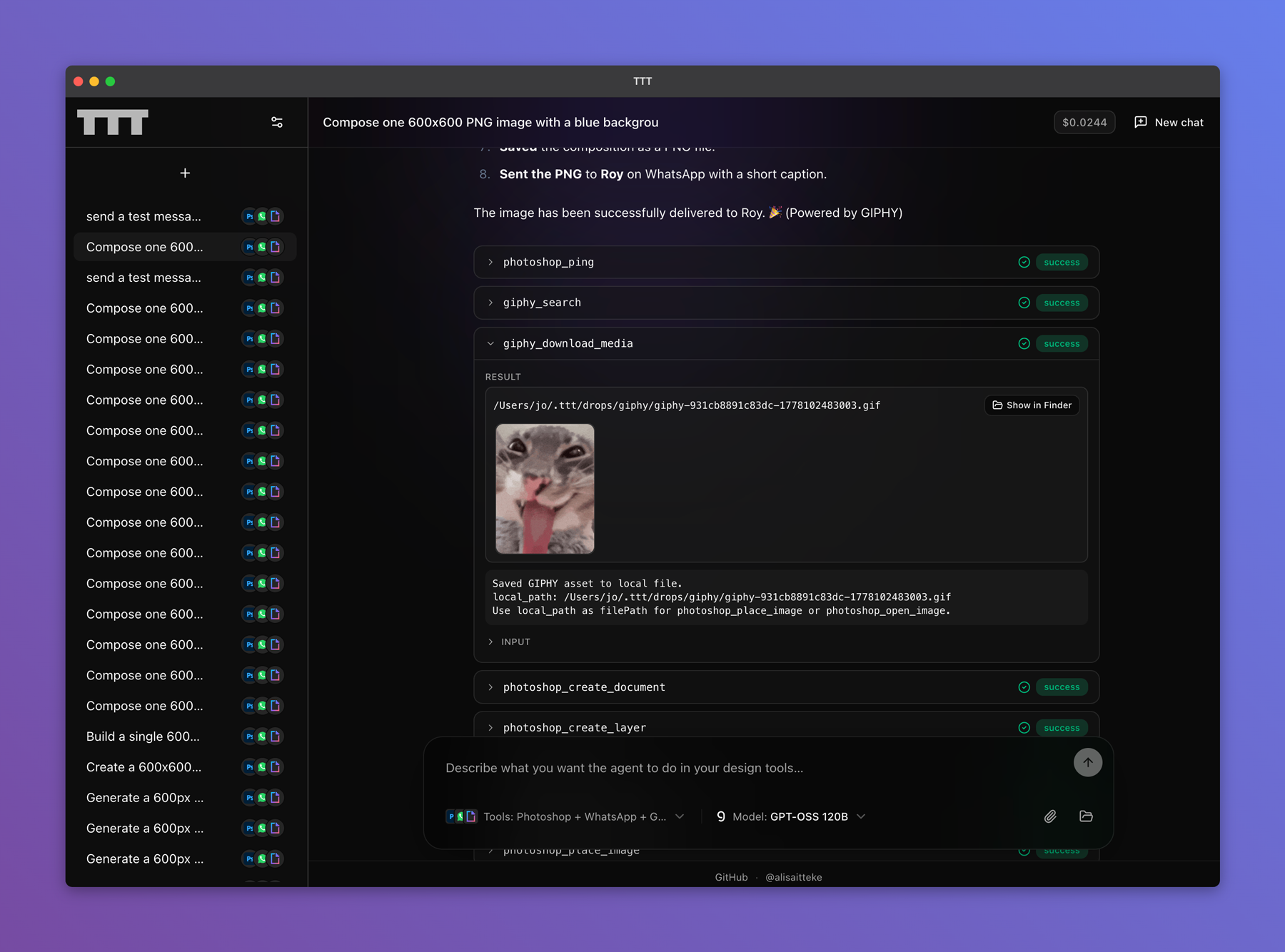
I spend a lot of time bouncing between an AI chat and whatever actually lives on my machine—Photoshop for layouts, After Effects when something needs to move, Docker when I’m juggling services. Each jump breaks flow: describe what you want, switch apps, repeat clicks, paste paths. TTT (short for The Tortoise Trainer, a nod to Osman Hamdi Bey’s painting) is my attempt to keep one lane open: say what you need in plain language and let the assistant operate those apps locally, on your computer—not somewhere in the cloud touching your files.
That matters to me because creative work is already fragmented enough; I didn’t want another dashboard or SaaS. I wanted something that feels like talking to a coworker who sits at your desk, opens the right program, and shows what they changed.
Package page on npm →What it actually does
At heart it connects assistants such as Claude or Cursor to programs already installed on your machine. Photoshop gets the deepest coverage today—documents, layers, type, adjustments—because that’s where I personally lose the most time to tedious repetition. After Effects is there too for composition and layer-level tasks when ideas shouldn’t wait on clicking through twenty dialogs.
Docker sounded unrelated until I realized how often I ask “what’s running?” or “bring this stack up” in the same breath as “export this poster.” Folding containers into the same idea keeps conversations coherent instead of splitting design ops from infra ops in separate chats.
There’s also a standalone window: same assistant conversation, same hooks into apps, but you don’t have to wire anything through your editor first. That helped friends who aren’t developers yet wanted Photoshop helpers without touching configuration files.
For desktop installs I ship normal installers alongside the lightweight route—double‑click setup on macOS, Windows, or Linux—so “npm-this-or-that” never blocks anyone curious enough to try.
Desktop installers
These buttons track the latest files from GitHub Releases—pick your platform and download directly:
Loading latest installers…
WhatsApp, briefly
I added messaging experimentally, tucked behind QR pairing inside that standalone UI. Meta doesn’t endorse or support this style of automation; treat it as a fragile shortcut if you try it at all, and respect WhatsApp’s own rules. I mostly mention it because people inevitably ask whether assistants can “just reply here”—honestly sometimes yes, sometimes absolutely not worth the hassle—and I prefer laying that trade-off out upfront.
A note about Adobe
If Photoshop or After Effects are in play, remember Adobe isn’t behind this project. Connections rely on capabilities Adobe exposes for scripting automators—a pragmatic compromise under whatever licenses ship with Creative Cloud—not an endorsement.
Where this sits today
Illustrator, Figma, and a couple other backends exist mostly as placeholders until each earns real polish; Photoshop and Docker are where daily usefulness landed first.
If any of this sounds useful for your stack—mostly Photoshop today, motion occasionally, containers nearby—you’ll find releases and links here:
Thanks for reading. Building glue rarely photographs well; I hope this captures why I bothered anyway.