
- Published on
Photoshop MCP, six months later
- Authors

- Name
- Ali Sait Teke
- @alisaitteke
Photoshop MCP, six months later
Unofficial project · Not affiliated with or endorsed by Adobe Inc.
Most AI products start by putting a chat box in front of a new system.
The more interesting problem, at least for me, is the opposite: people already have a system they trust — Photoshop, in this case — and the agent still cannot reliably drive it. Creative Cloud is not going anywhere. The gap is the last metre: natural language in, pixels out, files never leaving the machine.
In February I published a small MCP server: fifty-odd tools, npx, and that idea. I thought a handful of people who already lived in both Cursor and Photoshop might try it.
They did. Then a lot of other people did too.
photoshop-mcp.com →Top 0.5% of the MCP world
MCP Toplist tracks more than 120,000 servers. Photoshop MCP is #550 — the top 0.5%. GitHub stars went from almost nothing in April to about 400 now.

The same listing shows up on the other boards people actually use:
- PulseMCP estimates around 30,000 visitors and ranks it #941 globally — #242 this week.
- It is on the Official MCP Registry as
io.github.alisaitteke/photoshop-mcp(latest 1.7.3). - Glama carries the same package.
On npm it is pulling about 4,800 downloads a week.
Those are directory scores. Useful for discovery. The number I care about more is who actually opens Photoshop with it — because leaderboards are easy to game, and sessions are not.
About 1,200 people a day
Over the last two weeks, anonymous usage from the server itself shows about 1,200 people a day starting a session — connecting an AI client to Photoshop through this MCP.
They are not all in one city. The busiest countries in that window: China, the United States, Japan, then South Korea, Brazil, and Germany. That was not a launch-market I planned. It is what you get when the install is npx and the product is a tool people already pay Adobe for.
And they are not just connecting. In the same two weeks the server recorded on the order of 100,000 tool batches — real Photoshop work, not empty handshakes.
I did not want this to become another cloud editor. Photoshop stays on your machine. The agent talks to it locally. That is a product decision as much as a technical one: creative files are the last thing most teams want uploaded “for convenience.”
You do not have to wire Cursor to try it. The package now ships a local chat window, because the people who needed this were not all developers:
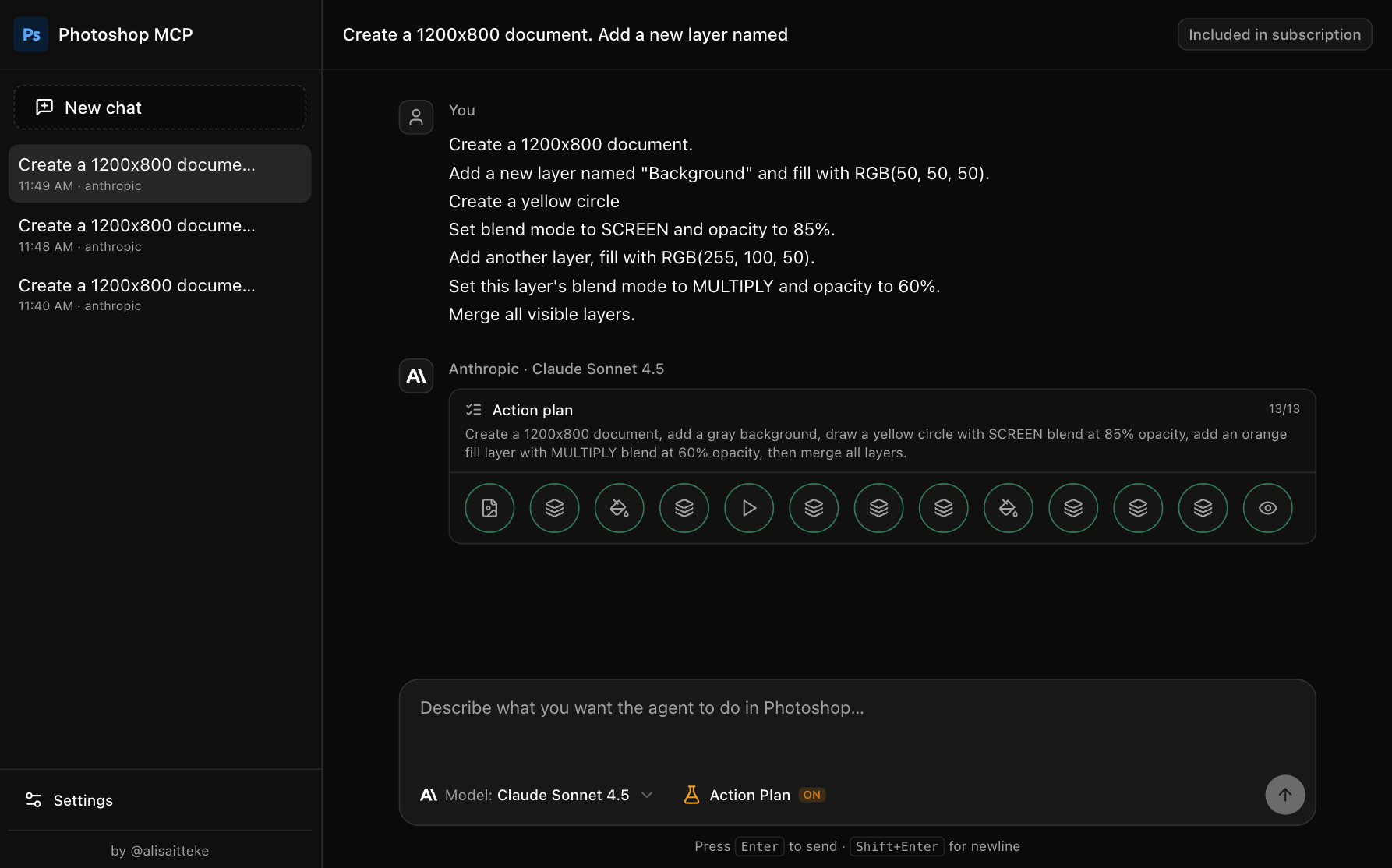
npx -p @alisaitteke/photoshop-mcp photoshop-mcp-ui
Sign in with an API key, or reuse a Claude Code / Gemini CLI account.
The design decisions that actually mattered
The first version exposed a lot of Photoshop as MCP tools and hoped the model would compose them. That is the demo that looks good in a README. It is also how you get brittle scripts, half-applied filters, and a document nobody wants to undo through.
So I changed the product surface.
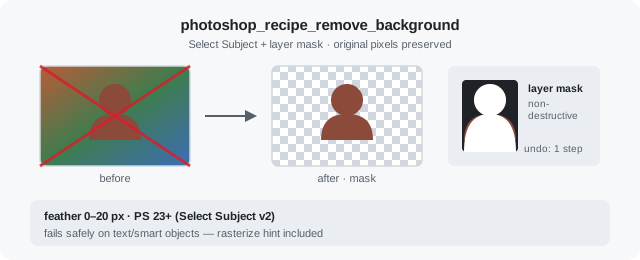
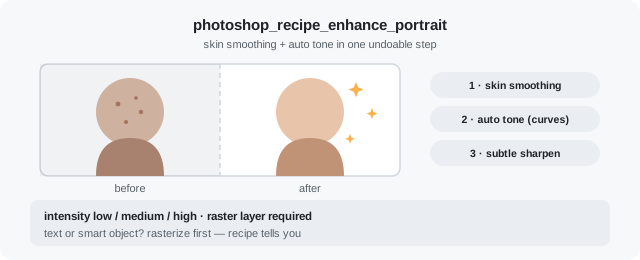
Recipes, not just API coverage. A recipe is one outcome — remove the background, enhance a portrait, export for web — and one Undo in Photoshop. The LLM still has 102 atomic tools when it needs precision. For the jobs people actually ask for, it should not have to rediscover a twelve-step procedure every time.
State before action. Agents guess. Photoshop does not forgive guesses. The useful loop is: read capabilities, read document state, act, then look at a preview. Structured errors on the way back, so the next attempt is not the same prompt shouted louder.
Plan once, execute once. Action Plan (beta) is the same instinct. Multi-step prompts used to mean a round-trip per click. Now the model can plan the whole pass, then run it. Fewer tokens, fewer half-finished documents.
Meet people where they already work. Cursor and Claude for people who live in an IDE. A standalone UI for everyone else. Cross-platform because Photoshop users are not a single OS: AppleScript on macOS, COM on Windows, versions that go back further than most agent demos bother with.
None of that is glamorous. It is the difference between a protocol wrapper and a tool a stranger will leave running.
What changed since February
Fifty tools became a product:
- 118 tools — 102 atomic
photoshop_*operations plus 16 recipes. - Standalone web UI — chat without an IDE.
- Action Plan (beta) — plan every step in one LLM call, then run them in a single pass.
- A proper site at photoshop-mcp.com.
The recipes are the part I wish had existed on day one. You say what you want; the server already knows the steps:
Remove the background from this portrait — keep it editable with a mask.
Enhance this portrait — smooth the skin and fix the tones, medium intensity.
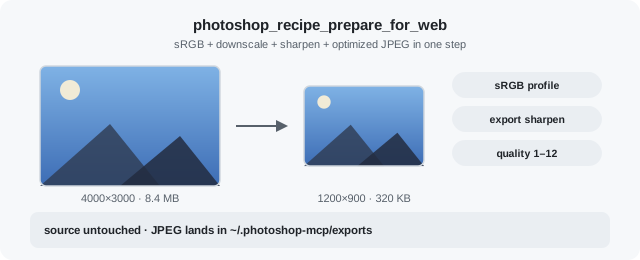
Prepare this design for web, then export Instagram and X post variants.
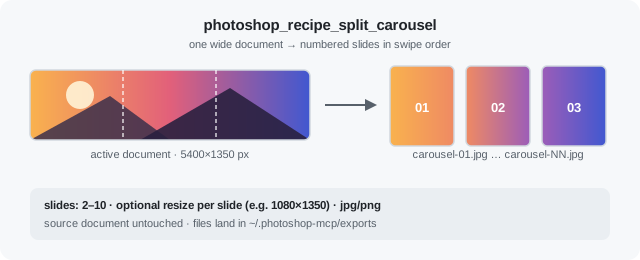
Split this wide banner into a 5-slide seamless Instagram carousel.
What it is not
It is not an Adobe product. It is not a SaaS that hosts your PSDs. It is not “AI Photoshop in the browser.”
The promise is smaller, and I think more useful: if Photoshop is already on the desk, an agent should be able to operate it — locally, undoably, without you babysitting every click.
That is the class of problem I like working on. Not a new surface for its own sake. The glue between models and the software organisations already standardised on.
If you want to try it
Photoshop running, Node.js 18+, Windows or macOS.
Chat window (easiest):
npx -p @alisaitteke/photoshop-mcp photoshop-mcp-ui
Inside Cursor, Claude Desktop, or VS Code — add to MCP config:
{
  "mcpServers": {
    "photoshop": {
      "command": "npx",
      "args": ["-y", "@alisaitteke/photoshop-mcp"]
    }
  }
}
Claude Code:
claude mcp add photoshop -- npx -y @alisaitteke/photoshop-mcp
The February write-up is still there if you want the original pitch: Photoshop MCP Server.
Links
Photoshop MCP is MIT licensed.
If you are wiring agents into tools your team already depends on — creative, internal, or otherwise — I hope this is a useful data point. I am still learning what “reliable enough” looks like when the other end of the socket is a 30-year-old desktop app, so feedback and strange edge cases are very welcome.